
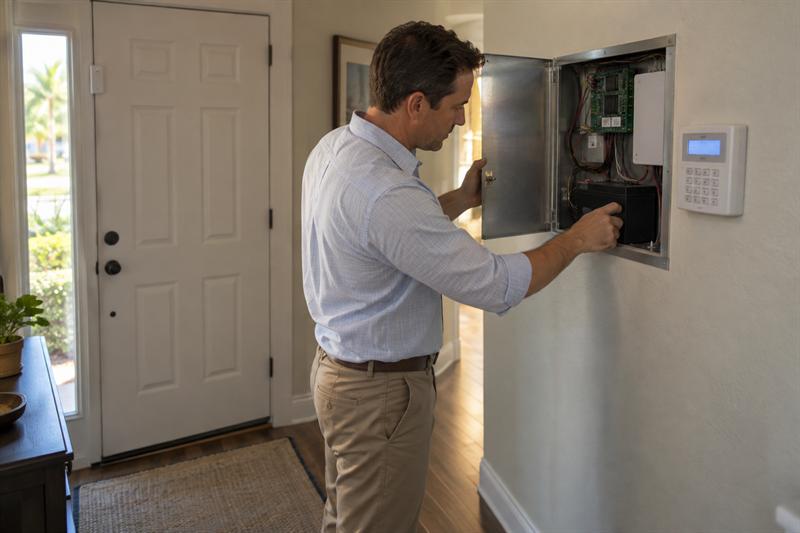
Quick Answer: A working keypad is not enough to confirm that an existing security system is ready for monitoring or a provider change. Before keeping the system, check equipment compatibility, ownership, authorized access, component condition, communication support, retained features, and the full cost of transferring service.
Keeping your security equipment and keeping your monitoring company are two different decisions. Cross Security, Inc. offers existing-system support and monitoring options without long-term contracts, giving Tampa Bay homeowners and business owners a practical reason to evaluate installed equipment before replacing it.
The question is not simply whether an alarm sounds. Existing-system monitoring depends on compatible equipment, a supported communication path, and confirmed signal receipt during testing. Some installations need selected upgrades rather than full replacement.
Key Takeaways
- Changing monitoring companies does not always require replacing every component.
- The control panel, sensors, and communicator each need a compatibility check.
- Camera recording and app access may not transfer with alarm monitoring.
- A local siren is not proof that a monitoring station receives signals.
- Compare equipment, activation, features, support, and agreement terms, not just the monthly price.
Can You Keep Your Existing Security System and Change Monitoring Companies?
Yes, if the equipment works properly, the new service supports it, and any necessary configuration changes are authorized. Separate the decision into three questions: can the hardware stay, can monitoring move, and will the new arrangement provide the functions you need?
What an Existing-System Takeover Actually Means
An existing-system takeover connects equipment already installed at the property to a new monitoring arrangement. It can involve account changes, authorized programming, testing, or replacement of selected components.
- Control panel: Processes signals from connected devices.
- Sensors: Detect the conditions they are designed to report.
- Communicator: Transmits alarm signals to the monitoring service.
- Monitoring service: Handles received signals according to its procedures.
These functions need to work together. Keeping the physical equipment does not by itself establish active monitoring.
Why Keeping a System Does Not Always Mean Keeping Every Component
Partial reuse is practical when some components remain suitable and others need changing. For example, an installation could retain compatible wired sensors while receiving a replacement communicator that the new monitoring service supports.
That is an illustrative scenario, not a compatibility promise. One unsupported component may still allow other sensors, wiring, and devices to remain usable.
Seven Checks Before Keeping Your Existing Alarm System
Use these seven checks to establish what can stay, what needs attention, and what a proposed monitoring plan actually includes. Resolve the findings before committing to a takeover or full replacement.
1. Identify the Control Panel, Communicator, and Devices
Identify the equipment behind the keypad before comparing monitoring plans. A keypad logo alone may not reveal the control-panel model, communicator type, or supported services.
Starting with only the visible keypad leaves an important question unanswered: what equipment sends the alarm signals?
- Collect panel and communicator model information from paperwork or safely accessible labels.
- Note whether sensors are wired, wireless, or a mixture.
- List the doors, windows, and other areas currently covered.
- Record existing app and camera features you want to retain.
Do not open powered enclosures to find identifying information. If documentation is missing, leave equipment identification to a qualified technician.
2. Confirm Equipment Ownership and Agreement Terms
Establish whether the equipment is owned, financed, or leased before treating it as available for transfer. Installation at your property does not settle ownership or outstanding obligations.
- Review remaining equipment payments or return requirements.
- Check cancellation notice and renewal terms.
- Identify charges associated with ending the current arrangement.
- Separate monitoring charges from equipment and subscription charges.
Overlooking these terms can lead to unexpected charges even when the equipment is reusable. A no-long-term-contract agreement still has terms; it describes the commitment period, not whether every service, feature, or fee is included.
3. Check Authorized Access and Platform Restrictions
Confirm that the system allows authorized configuration changes and works with the intended monitoring service. A code that lets you arm the alarm is not the same as permission to change its monitoring settings.
A transfer can stall when usable hardware remains tied to a provider-managed account or restricted platform. Until that restriction is resolved, equipment condition alone does not confirm that monitoring can move.
- Does the existing communicator or account require release from the current service?
- Does the proposed monitoring arrangement support the identified panel and platform?
Resolve these access and compatibility questions before scheduling the changeover. Do not share programming codes or passwords in public inquiry forms.
4. Assess Sensors, Wiring, Batteries, and Trouble Conditions
Evaluate condition and coverage rather than relying on age. An older installation deserves a component-level assessment, while a newer one still needs attention if it has unresolved faults.
A trouble message indicates a condition that needs investigation, not necessarily a need to replace the whole system. Identify the cause and which function it affects before deciding on repairs.
- Record recurring trouble messages and known device failures.
- Have sensor operation and relevant wiring assessed.
- Include backup-battery condition in the review.
- Identify doors, rooms, or property changes that existing coverage does not address.
A working keypad does not confirm that every sensor works or that the backup battery retains an adequate charge. Acknowledging a warning may silence the notification, but it does not correct the underlying cause.
5. Verify the Communication Path and Power Dependencies
Choose a supported communication method based on the installed equipment and the connection needed to operate it. Compare those dependencies, not just plan names.
- Landline: Requires compatible telephone service and an alarm transmission arrangement that the monitoring service supports.
- Cellular: Requires a supported communicator and usable cellular signal at the installation.
- Internet: Depends on compatible equipment, the internet connection, and power for relevant networking devices.
Cellular service alone is not a dual-path system. Dual-path communication uses two configured communication paths, commonly cellular and internet.
For Tampa Bay properties, storm-related power and connectivity interruptions make backup arrangements worth examining. A panel battery may not power a separate router. Review the whole connection to understand what remains operational during an outage.
6. Confirm Which Alarm, Camera, and App Features Will Remain
Confirm each feature separately because alarm monitoring, camera operation, and app access have different dependencies. Keeping the devices does not by itself preserve their accounts or subscriptions.
- Intrusion alarm monitoring and notifications
- Remote arming and disarming
- Camera viewing and recorder access
- Cloud recording and footage retention
- Any separately arranged live video monitoring
A camera might remain usable with its recorder while access through the previous provider’s app changes. That distinction matters if remote viewing is one of the main reasons you use the system.
Cross Security, Inc. supports security camera systems, but camera support is separate from alarm monitoring and does not by itself mean live operator monitoring. The proposed service description should identify which functions remain and which require separate arrangements.
7. Compare the Complete Cost and Service Scope
Compare the complete changeover cost and ongoing service, not just the advertised monitoring rate. A lower monthly charge may not reflect equipment costs, included features, or who handles faults.
- Activation, programming, and installation labor
- Replacement panel, communicator, battery, or sensors
- Monitoring, app access, and recording subscriptions
- Maintenance and troubleshooting arrangements
- Existing cancellation charges and new agreement terms
Cross Security, Inc.’s no-long-term-contract monitoring addresses commitment length; the written quote and agreement should explain the remaining costs and responsibilities. Use customer reviews to understand support experiences, while relying on equipment tests and service details for compatibility.
Resolve these gaps before authorizing a monitoring change. A compatibility and service review is useful when:
- The panel or communicator model is unknown.
- Trouble messages remain unresolved.
- Account ownership or release requirements are unclear.
- The proposed service does not specify which app and camera features remain.
Ask Cross Security, Inc. to review these points before committing to a takeover or replacement. The findings should determine the work, rather than a plan selected without knowing what the system requires.
Keep, Upgrade, or Replace: How to Interpret the Findings
Keep supported components that meet your needs, upgrade specific limitations, and consider replacement when the findings justify it. The choice does not have to be all-or-nothing.
When Keeping the System May Make Sense
Keeping the system makes sense when it works properly, supports the proposed monitoring, and covers the property’s current needs.
- Authorized configuration access is available.
- Devices and communication equipment are supported.
- Assessment and coordinated testing confirm the required operation.
Base the decision on those findings, not the appearance of the keypad or the fact that the siren sounds.
When a Targeted Upgrade May Be Enough
A targeted upgrade is practical when the limitation is confined to selected components. It addresses the problem while retaining equipment that remains compatible and functional.
For example, a hypothetical installation with working, compatible wired sensors but an unsupported communicator could need a communication upgrade rather than replacement of every sensor. Compatibility testing determines whether that narrower approach is suitable.
When Replacement Deserves Consideration
Replacement deserves consideration when restrictions, faults, coverage gaps, or transfer costs undermine the value of reuse.
- The platform cannot support the intended monitoring arrangement.
- Recurring faults affect multiple components.
- Existing coverage no longer fits the property.
- Repair and transfer costs compare poorly with a suitable replacement.
A replacement recommendation should explain the specific limitation and how the proposed equipment addresses it. Equipment age alone is not a complete justification.
How to Coordinate a Monitoring Change
Agree on responsibilities and confirm signal delivery before considering the change complete. Opening a new account is only one part of the handoff.
Agree on Timing, Responsibilities, and Testing
Set the changeover sequence before ending the current arrangement. Identify who handles account release, equipment changes, programming, and testing, along with any expected interruption.
Where feasible, confirm the new arrangement before terminating the previous service. Coordinate testing with the responsible monitoring parties so test signals are handled appropriately. Do not trigger an unannounced alarm to see what happens.
Confirm Signal Receipt, Contacts, and Local Requirements
Confirm receipt of the agreed test signals, not just local siren operation. A siren demonstrates a local response; monitoring requires successful transmission and handling of the signal.
- Confirm relevant zone information and test results.
- Update emergency contacts and property information.
- Understand verification procedures and dispatch policies.
- Review applicable alarm registration and false-alarm requirements.
Use the property’s city or county guidance rather than assuming one rule applies throughout Tampa Bay. Successful signal receipt confirms that part of the monitoring process, but it does not guarantee emergency dispatch or arrival.
Treat Commercial Fire Monitoring as a Separate Review
Commercial fire-alarm monitoring needs a separate review because life-safety requirements differ from an ordinary intrusion-system transfer. Equipment, testing, documentation, and local requirements must be evaluated for the actual application.
Cross Security, Inc.’s fire monitoring services are relevant where that coverage is needed. Applicable local fire-alarm rules and the responsible agency determine what the change involves; an intrusion takeover checklist is not a substitute.
What to Have Ready When Asking About Existing-System Monitoring
Prepare information that identifies the installation and the functions you want to keep. For a discussion with Cross Security, Inc., focus on what can remain, what needs changing, and which monitoring terms apply.
- Safely accessible panel and communicator model information
- Current provider and whether monitoring is active
- Equipment ownership and relevant agreement details
- Known faults or recurring trouble messages
- Alarm, camera, and app features you want to retain
- Questions about complete costs and changeover timing
This keeps the discussion centered on the installed system rather than assuming a new equipment package is necessary. Initial information helps define the assessment but does not replace technical verification. Keep passwords, access codes, and sensitive floor plans out of public inquiries.
Frequently Asked Questions
Can an Older Wired Alarm System Still Be Monitored?
Yes, an older wired alarm system may still support monitoring if its equipment works properly and is compatible with the service. Existing wiring and sensors may remain usable even when the panel or communicator needs upgrading. Age alone does not determine whether the entire system needs replacement.
Can an Existing Alarm System Be Monitored Without a Landline?
Yes, if the system supports a compatible cellular or internet arrangement, sometimes through a communicator upgrade. Internet communication depends on networking equipment and its power supply; cellular communication requires supported equipment and usable signal. Neither option removes the need to evaluate power backup.
Can a System Installed by a Previous Owner Be Reactivated?
Reactivation is possible when the equipment works properly, is compatible, and allows authorized access. Taking possession of a property does not automatically transfer the previous owner’s cloud account or programming access. Installed keypads and sensors therefore do not, by themselves, establish that the system is ready for monitoring.
Will Existing Cameras and the Alarm App Work After Switching Providers?
Not necessarily. Camera hardware, recording, remote viewing, and alarm-app access can depend on different accounts, subscriptions, and platforms. A camera could remain usable with its recorder while access through the previous provider’s app changes. Retaining equipment and retaining every digital feature are separate questions.
Does No Long-Term Contract Mean There Are No Other Fees?
No. Contract duration is separate from activation, equipment, installation, app, recording, or service charges. Cancellation terms may also apply. A no-long-term-contract arrangement describes the commitment period, not the complete cost, so the monthly monitoring price alone does not capture every possible expense.
Conclusion: Confirm What Can Stay Before Replacing What Works
Ask Cross Security, Inc. to review your existing system before committing to replacement or a monitoring change. The real issue is not simply equipment age. Unresolved compatibility, access, communication, or feature questions can lead to unexpected costs, lost functions, or a monitoring interruption.
Gather your panel information and current agreement, then contact Cross Security, Inc., a Clearwater security company, to discuss what can remain, what needs attention, and which monitoring terms apply. Cross Security, Inc.’s existing-system support and no-long-term-contract monitoring make that a practical next step before canceling service or purchasing replacement equipment.
Recent Comments