
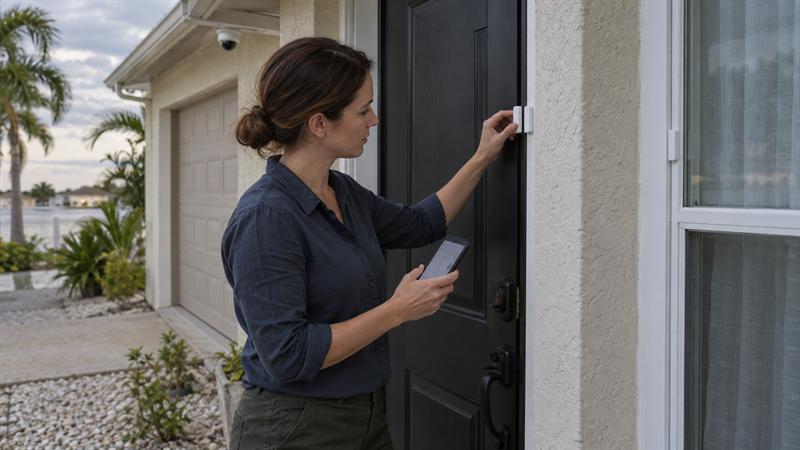
Quick Answer: A common mistake homeowners make is choosing a home security company based on equipment alone instead of looking at how the company handles monitoring, service, contracts, and existing systems over time. To choose the right home security company in Clearwater, compare local coverage, contract terms, existing-system support, ease of use, reviews, camera performance, and what happens after installation.
Why Choosing the Right Home Security Company Matters
Most companies highlight cameras, apps, and sensors. That is not always where problems begin. Issues often show up after installation, when a homeowner needs support, wants to change service, or finds that the system is harder to use than expected.
Homeowners are often sold a package first and given the full explanation later. A quote can look complete and still lead to frustration if service is slow, monitoring terms are unclear, or the equipment does not fit how the household actually lives.
That is why choosing a provider is not just about buying devices. It is about choosing who will monitor, maintain, explain, and support the system over time. If that part is weak, the setup can start to feel expensive and inconvenient.
Start With Your Home, Not a Prebuilt Package
The best starting point is not a package. It is the home itself. Clearwater homeowners should look at how the property is used each day, where the main access points are, and which areas need visibility or alerts.
One common issue is being shown a standard bundle before anyone really looks at the layout. That can lead to too much equipment in low-priority areas and not enough attention on the spots that matter most. The right setup fits the property and stays easy to use.
Some homes need straightforward alarm coverage and mobile alerts. Others may benefit from a stronger camera plan, a video doorbell, or added fire monitoring. If you want a clearer picture of the basic home security components that affect system setup, it helps to understand how monitoring and connected devices work together.
What to Assess Before You Compare Companies
- Main doors and first-floor windows
- Garage access and side entrances
- Areas where cameras would be most useful
- Whether children, pets, or older family members will use the system
- Whether the home already has existing alarm hardware
That last point matters more than many homeowners expect. Existing hardware can change the conversation because it may allow for monitoring, upgrades, or partial reuse instead of a full replacement.
A Clearwater Home Security Company Checklist
If you are comparing companies and trying to cut through sales language, this is the section that matters most. A local home security company checklist should help you compare how the company works, not just what products it lists.
That is where many ranking pages fall short. They compare brands, packages, or ratings, but they do not always explain what affects the homeowner experience after the system is installed.
1. Confirm the Company Actually Serves Clearwater and the Surrounding Area Well
A city mention on a website is not enough. You need to know whether the company regularly serves Clearwater, how service is handled, and whether technicians cover the area directly.
This is where problems can start for homeowners who choose a company that looks local online but routes support elsewhere. Service delays, unclear scheduling, and limited follow-up may show up later, when help is needed. A company that regularly works across Clearwater and the surrounding Tampa Bay area may be better positioned to handle service without added friction.
2. Ask About Monitoring Options and Contract Terms
Do not treat monitoring as a small line item. It shapes the long-term cost and flexibility of the entire system. You should know whether monitoring is optional, whether it is month to month or tied to a longer agreement, and what happens if your needs change later.
This issue can become more frustrating when the quote makes the monthly number look simple but does not clearly explain the commitment behind it. A lower price can lose its value quickly if it limits changes, adds cancellation fees, or locks the homeowner into service that no longer fits.
3. Find Out Whether They Can Use or Monitor an Existing System
Many homeowners already have an alarm panel, sensors, wiring, or cameras in place. That does not automatically mean the entire system needs to be replaced. In many homes, some equipment can still be monitored, reused, or upgraded in a more targeted way.
This is one of the biggest gaps in typical security content. Many companies lead with replacement because it is simpler to present as a package. Cross Security, Inc. takes a more practical approach because a full replacement is not always the most sensible option. If you already have hardware in place, this guide on keeping your existing security system in Tampa Bay can help you understand what to check first.
4. Make Sure the System Will Be Easy for Your Household to Use
A system that is hard to arm, confusing to manage, or overloaded with alerts may stop getting used correctly. That can lead to missed alerts, frustration, and workarounds that defeat the point of having security in the first place.
People sometimes buy more features than they really want to manage day to day. The better choice is usually the setup everyone in the home can use confidently. Ease of use is not a bonus feature. It is part of whether the system will work well over time.
5. Read Reviews for More Than Ratings
Star ratings only tell part of the story. What matters more is whether reviews show a pattern of clear communication, dependable support, and professional follow-through after installation.
When homeowners read reviews closely, they often learn more from service details than from broad praise. Look for signs of how the company handles problems, scheduling, and long-term customer relationships. That is where trust gets tested. Reviewing customer feedback for Cross Security can help show what homeowners notice once service is underway.
6. Compare Camera Quality, Alerting, and App Experience
Camera quality matters, but so does the day-to-day experience around it. The real questions are whether the image is useful, whether alerts are clear, and whether the app makes it easy to check what is happening without confusion.
This can become a problem when camera discussions stay too technical or too vague. Homeowners need practical answers about driveway views, front entry coverage, remote check-ins, and how alert settings are handled. If the app experience is clumsy or notifications are poorly managed, the camera system can become more annoying than helpful.
7. Ask What Support Looks Like After Installation
Support is where the quality of the company becomes most visible. You should know who handles service calls, what happens if something stops working, and how future updates or additions are managed.
This is something many homeowners do not think through until there is already a problem. If the company is easy to reach before the sale but difficult to reach after installation, that may indicate what the long-term experience will look like. Good support helps keep a system useful. Weak support can turn even decent equipment into an ongoing hassle.
If you are seeing these signs, it is worth slowing down before you commit:
- Your quote pushes a full replacement without clearly explaining why
- The company cannot give a straight answer on monitoring terms or cancellation
- Support after installation sounds vague or outsourced
- You already have equipment, but no one has explained whether it can be reused
When those issues show up during the sales process, they usually do not improve later. That is a strong sign the homeowner may need a clearer, more practical option before moving forward.
Questions to Ask Before You Sign Anything
The right questions make weak proposals easier to spot. They also make it easier to compare two companies that sound similar at first.
If a company gives vague or evasive answers here, that can lead to confusion later. Clarity now can save time, money, and frustration later.
Recommended Questions
- Can this company monitor or upgrade an existing system?
- What is included in the monthly monitoring fee?
- Are there long-term contracts or cancellation fees?
- Who handles repairs or service calls?
- What happens if the homeowner wants to add cameras later?
- How does the company help reduce false alarms or confusing alerts?
Common Red Flags When Comparing Security Companies
- Pressure to replace functioning equipment without a clear reason: this often means the recommendation started with a package, not with the home.
- Quotes that blur together equipment, installation, and monitoring fees: this makes real comparison harder and can hide the true long-term cost.
- One-size-fits-all packages with little discussion of the property: this can result in a system that does not match how the home is actually used.
- Vague answers about service or contract terms: this is where future disputes and frustrations often begin.
- Limited visibility into post-installation support: if support is unclear before you sign, it may become more difficult after you sign.
Local vs National Security Companies: What Homeowners Should Consider
National companies usually lead with brand recognition and standardized packages. Local providers often have more room to work with existing equipment, explain options clearly, and adjust service around the property instead of a fixed template.
That does not mean one is always better. It means the decision should match what matters most to the homeowner. If the priority is flexibility, support continuity, and a setup that fits the house instead of the brochure, local service may have an advantage.
Many homeowners compare names first and service model second. That can lead to a decision based more on familiarity than on how smoothly the system will work once the installation is done.
Where Local Providers May Have an Advantage
- More direct communication
- More flexibility with existing systems
- Better continuity after installation
- Familiarity with Clearwater and nearby Tampa Bay communities
How This Decision Connects to the System You End Up With
The company you choose affects more than the initial install. It shapes how the system is designed, what gets monitored, how easy it is to expand, and what kind of support is available later.
This is why the provider decision and the system decision are closely connected. If the company oversells the setup, ignores existing hardware, or leaves support questions unanswered, that often carries into the final system design as well.
Homeowners comparing options should also understand how security monitoring works for homes and businesses, because monitoring affects how alerts are handled, how systems are used, and how much flexibility exists after installation.
When It Makes Sense to Combine Alarm Monitoring, Cameras, and Fire Monitoring
Some homes benefit from a layered approach instead of a single feature focus. Alarm monitoring covers intrusion events, cameras add visibility, and fire monitoring adds another level of protection for homes that need it.
The key is not to assume every home needs the same combination. This works best when each part solves a clear problem. If a homeowner wants alerts without visibility, or visibility without reliable monitoring, the system may end up feeling incomplete. The right mix depends on how the property is used and what the homeowner actually needs to manage.
Key Takeaways for Choosing a Home Security Company in Clearwater
- Choose the company based on long-term service, not just equipment.
- Start with the home’s layout and daily use, not a prebuilt package.
- Make contract terms and monitoring flexibility a core comparison point.
- Do not assume an existing system has to be replaced.
- Look for clear support expectations before installation, not after.
- Use reviews to judge communication, responsiveness, and follow-through.
Conclusion: Choose a Company You Can Still Trust After Installation
The real challenge is not finding a company that sells security equipment. It is choosing a company that answers important questions clearly before the homeowner is committed to the system. That is where support issues, unnecessary replacement costs, and contract frustration often begin.
If this decision is handled poorly, the system can become harder to use, harder to service, and harder to change later. That is why the next step should be practical and clear. Cross Security, Inc. may be a strong fit for homeowners who want straightforward guidance, support for existing systems when it makes sense, and a local company that understands how long-term service affects the value of the entire setup.
For homeowners in Clearwater who want a more practical way to compare options, Cross Security, Inc. is one company to consider.
Company Approach
Cross Security, Inc. takes a practical approach instead of starting with a fixed package and working backward. The focus is on what the home needs, whether existing equipment can still be useful, and how the system will work in everyday life after installation.
That matters because the same problems tend to show up when homeowners are pushed into oversized or inflexible setups. In many cases, a better outcome comes from clear monitoring terms, simpler system design, and support that continues after the sale. That approach gives homeowners a better basis for making the right decision the first time.
FAQ
What should I look for in a home security company in Clearwater?
Look for a company that explains the full setup clearly, including how the system fits the home, what monitoring includes, and what support looks like after installation. Most companies can offer cameras and sensors. The bigger difference is how they handle service, communication, and future changes once the system is in place.
A strong quote should separate equipment, installation, and monitoring instead of blending everything together. That distinction matters because long-term frustration often starts when the homeowner thinks one thing is included and later finds out the agreement works differently.
Can I keep my existing alarm system if I switch security companies?
Sometimes, yes. It depends on the panel, sensors, cameras, wiring, and whether the new provider can work with that equipment. Switching companies does not automatically mean replacing everything.
This is one of the most misunderstood parts of the process. Some homeowners assume older hardware is useless, while others assume everything will transfer over without changes. In reality, some parts may be reusable, some may need upgrades, and some may need replacement. That distinction affects both cost and complexity.
Is it better to choose a local security company or a national brand?
It depends on what matters most to the homeowner, but local companies often have an edge when flexibility and support continuity are important. National brands may offer more standardized packages, while local providers usually have more room to adapt the system around the home and existing equipment.
The real difference is usually not the technology. It is how the service is delivered. If clear communication, local responsiveness, and practical support matter more than a brand name, a local provider is often the better fit.
Do all home security companies require long-term contracts?
No. Some companies offer more flexible monitoring arrangements, while others tie service to longer agreements. That is why contract terms should be one of the first things reviewed, not one of the last.
Two quotes can look similar on monthly cost and still work very differently over time. The important distinction is whether the homeowner can make changes easily later or ends up stuck with terms that no longer fit.
What questions should I ask before signing up for alarm monitoring?
Ask what is included in the monthly fee, whether monitoring is optional or required, how long the agreement lasts, and how service is handled if equipment stops working. If there is already a system in the home, ask whether any of it can be monitored or reused.
The most useful questions are the ones that reveal how the service works after installation. Price matters, but clarity matters more. A lower monthly number can lose value quickly if it comes with confusion, unnecessary replacement, or limited flexibility later.
How do I know if a home security quote includes everything I need?
A good quote should match the layout of the home, explain why each piece of equipment is included, and separate upfront costs from ongoing fees. If the quote feels generic, oversized, or vague, it often means the proposal started with a package instead of the property.
What matters most is whether the quote explains coverage decisions clearly. Homeowners should be able to see why certain doors, windows, or camera locations were prioritized and how that setup supports daily use, not just the sales presentation.
Recent Comments