
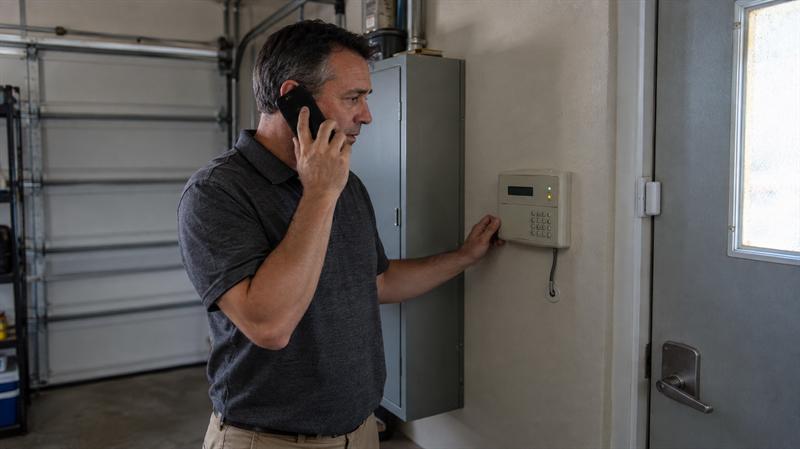
Many people have cameras or an alarm system but are still not sure what monitoring adds. That is where the confusion starts. Detection is one part of security. What happens after the alert is what determines whether the system simply notifies someone or supports a more organized response.
At Cross Security, Inc., this is a common question from homeowners and business owners across Tampa Bay. People often have devices in place, get notifications, and assume that means the property is fully covered. The gap usually shows up later, when an alert comes in during work, overnight, or while traveling and no one is in a position to respond quickly.
What Security Monitoring Actually Means
Security monitoring means a triggered system does more than sound a siren or send a push notification. It sends a signal to a monitoring center, where the alert is received and handled based on the event type and the response instructions on the account.
The simplest way to think about it is this: the equipment detects, and the monitoring service manages what follows. That distinction matters because owning alarms, cameras, or sensors does not automatically mean someone is reviewing signals and following a response process.
This applies to both homes and businesses. The devices may be similar, but the reason for monitoring usually comes down to the same question: who knows about the event, and what happens if the property owner cannot respond right away?
The Difference Between a Security System and a Monitoring Service
A security system is the hardware. It includes devices such as door contacts, motion detectors, glass break sensors, smoke detectors, and keypads. Its job is to detect an event and report it.
A monitoring service is what receives that event and moves it through a response process. That may include reviewing the signal, checking account details, following notification procedures, and escalating when appropriate. Many buyers miss this distinction at first, which can create problems when the system itself is expected to handle everything.
Why Cameras Alone Are Not the Same as Active Monitoring
Cameras are useful for visibility, recorded footage, and real-time notifications. But cameras alone are not the same as active monitoring because they still depend on someone seeing the alert, understanding what is happening, and deciding what to do next.
This is something Cross Security, Inc. regularly sees with self-managed systems. A person gets motion alerts throughout the day, starts tuning them out, and may miss the one event that matters. That can lead to slower response, more uncertainty, and less confidence in the setup.
How Alarm Monitoring Works Step by Step
Alarm monitoring follows a clear chain: detection, signal transmission, alert review, and response. The exact steps depend on the type of system and the kind of alert, but the basic structure stays the same.
Understanding that process makes it easier to compare self-monitoring with a monitored setup. It also helps property owners see why a security monitoring service is different from simply having connected devices.
A Sensor or Device Detects Activity
The process begins when a device detects something specific. That could be a door opening, motion inside a closed building, glass breaking, smoke being detected, or a panic button being pressed.
Different devices create different types of alerts. A smoke detector is not handled the same way as a motion detector, and a panic device is not handled the same way as a standard intrusion signal. That difference shapes what happens next.
The System Sends a Signal to the Monitoring Center
Once the event is triggered, the system sends a signal to the monitoring center. That signal identifies what device or zone was activated and what category of event is being reported.
The communication path depends on the system design. What matters most for the property owner is whether the system can send a reliable signal when it counts. This is one reason older equipment should be evaluated carefully, especially if it has not been updated in years.
The Alert Is Reviewed and Verified
After the signal is received, the alert is reviewed based on the event type and the information available on the account. That can include the alarm category, the location, the contact list, and the response instructions.
A common misunderstanding is that every alarm is handled in exactly the same way. It is not. A burglary signal, a fire-related signal, and a panic event do not always follow the same process, and treating them as if they do can create the wrong expectations from the start.
Contacts or Emergency Responders Are Notified When Needed
Once the alert is reviewed, the next step is taken according to the response plan. That may mean notifying the property owner, moving through emergency contacts, or escalating based on the signal type and local response practices.
This is where monitoring adds structure. Without that structure, the alert sits with whoever happened to get the notification first. If that person is sleeping, driving, in a meeting, or away from the property, the delay can become the problem.
If your system sends alerts but no one consistently acts on them, that is usually a sign the setup is not doing enough.
- You miss notifications during work, travel, or overnight hours
- Multiple people get alerts, but everyone assumes someone else handled it
- Your current system records events but does not create a clear response path
- You have older equipment and are not sure it still supports reliable signaling
When those patterns are already in place, the weak point is usually not the hardware. It is the response process.
What Happens When a Monitored Alarm Goes Off
When a monitored alarm goes off, the next step depends on what caused the signal. That is one of the main reasons monitoring needs a clear explanation. Not every alert means the same thing, and not every alert should lead to the same response.
Many people search this topic because they want one simple answer. The more useful answer is that intrusion, fire, and accidental alarms are handled differently. Ignoring that difference can lead to poor decisions about equipment and service.
Burglary and Intrusion Alerts
Intrusion alerts usually begin with a door contact, motion detector, or glass break sensor. Once the signal is received, the account details and response instructions help determine the next step.
For homeowners, that usually means understanding who should be notified if no one is home. For business owners, the pattern is different. Businesses often have several authorized contacts, after-hours access concerns, and scheduled opening and closing routines. That can add complexity, which is one reason existing system monitoring should be evaluated carefully before assuming a current setup is enough.
Fire and Life-Safety Alerts
Fire and life-safety signals are handled differently because the stakes are higher. These signals are not just about property access or suspicious movement. They relate to occupant safety and the possibility of an active emergency.
This is where readers should expect a more structured response path than they would get from a camera alert alone. A common problem is that people group every device into one category, when a smoke detector or fire-related signal belongs in a different conversation from a basic motion alert.
User Error and Accidental Alarms
Accidental alarms are part of real-world system use. They happen when someone enters the wrong code, opens a protected area at the wrong time, or forgets a schedule or arming routine.
This can get worse when contact lists are outdated or the system setup no longer matches how the property is used. Homes change. Businesses change. Staff changes, access patterns shift, and old assumptions can stay in place longer than they should. That is often when false alarms, missed calls, and confusion start stacking up.
Professional Monitoring vs Self-Monitoring
Professional monitoring and self-monitoring both have a place, but they do not solve the same problem. Self-monitoring puts the alert directly in the hands of the property owner or another designated user. Professional monitoring adds a layer of response when that person is unavailable or unable to act.
The practical choice usually comes down to reliability. If someone can consistently notice, assess, and act on alerts at all hours, self-monitoring may be enough. If that is not realistic, the gap tends to show up quickly.
When App Notifications May Be Enough
App notifications may be enough for someone who wants visibility and is comfortable handling alerts personally. This is more realistic for lower-risk situations, occupied properties, or users who mainly want to check activity and review video.
What changes the decision is consistency. If alerts are routinely dismissed, missed, or treated like background noise, the setup stops working as intended. The issue is not whether the phone received the alert. The issue is whether anyone actually acted on it.
When 24/7 Monitored Response May Add Value
24/7 monitored response may add value when no one can reliably be the first to act on an alert every time. This is especially relevant for travel, second homes, after-hours businesses, and any property where the timing of an alert matters as much as the alert itself.
This is something Cross Security, Inc. sees regularly with business owners. A system is installed, notifications are turned on, and everyone assumes coverage is in place. Then an overnight event happens, several contacts miss the alert, and the weakness in the setup becomes clear. That often leads to a closer review of how alerts are actually handled.
Home Security Monitoring vs Business Security Monitoring
Home and business monitoring follow the same core process, but they are built around different daily realities. That difference matters because a system should reflect how the property is used, not just what devices are attached to it.
This is where generic content usually falls short. Many pages speak broadly about protection but do not explain how the account setup, contact structure, and response needs shift from one property type to another.
Common Priorities for Homeowners
Homeowners usually focus on intrusion alerts, fire signals, family routines, overnight coverage, and travel. The main value of monitoring is that someone does not have to be constantly available to interpret every event personally.
This usually becomes more important when the home is empty for long periods or when the people receiving alerts are not always in a position to respond. In that situation, home security monitoring becomes less about convenience and more about response.
Common Priorities for Business Owners
Business owners usually care about after-hours entry, opening and closing activity, multiple authorized users, panic devices, and fire-related signals. They also tend to deal with more changing variables, including staff turnover and different schedules by role or shift.
A common pattern is that a business outgrows the way its system was originally configured. What worked for a small team no longer fits the actual operation. That can lead to missed signals, unclear responsibility, and a setup that no longer matches the property’s needs.
Can an Existing Alarm System Be Monitored?
Yes, in many cases an existing alarm system can be monitored, but the answer depends on the panel, the communication path, and the overall condition of the equipment. One of the biggest mistakes is assuming the only options are to keep everything exactly as it is or replace everything at once.
This is where Cross Security, Inc. takes a practical approach. Many property owners already have workable equipment but do not know whether it can still communicate reliably or support current monitoring needs. The right first step is to evaluate compatibility, not jump straight to replacement.
When Existing-System Monitoring Is Possible
Existing-system monitoring is usually possible when the core equipment is still functional, the panel is compatible, and the system has a reliable way to send signals. If the sensors are working and the communication side can support monitoring, the current setup may still have real value.
This matters because many property owners assume older equipment has no use simply because it is not tied to an active service. In practice, the better question is whether the system still supports dependable signaling and sensible account setup.
When Upgrades May Be Needed
Upgrades are usually needed when the communication method is outdated, the equipment is unsupported, or the system no longer fits how the property operates. This gets more important when the system appears to work locally but cannot send signals reliably when it matters most.
This is where problems tend to grow over time. A property owner keeps using an aging setup because the keypad still lights up or the siren still works. Then a real event happens, and the weak point turns out to be communication, compatibility, or account configuration. For a closer look at the practical checks involved, see What to Check Before Keeping Your Existing Security System in Tampa Bay.
Questions to Ask Before Choosing a Monitoring Provider
Before choosing a monitoring provider, the main question is not just what equipment is included. The more important question is how the provider handles real alarm events and whether that process fits the property.
- What happens after an alarm signal comes in?
- Can the provider work with an existing system, or is replacement assumed from the start?
- What types of signals are monitored, such as intrusion, fire, or panic events?
- How are contacts, notifications, and response instructions managed?
- Are the service terms flexible, or does the model depend on a long-term contract structure?
This is where generic package comparisons usually miss the point. The real value is in how the account works during an actual event, not how polished the equipment list looks on day one.
Key Takeaways
- Alarm monitoring turns a triggered device into a response process.
- A security system detects activity, but monitoring handles what happens next.
- Cameras and app alerts are useful, but they are not the same as active monitoring.
- Homes and businesses use the same core monitoring process but have different day-to-day needs.
- Existing systems can sometimes be monitored, but compatibility and communication should be evaluated carefully.
Conclusion
The real issue is not whether a property has sensors, cameras, or an alarm panel. It is what happens after a signal is triggered. If that part is not handled well, alerts may be missed, response may slow down, and the system may not perform the way people expect.
That can lead to one of two outcomes: either the property owner keeps trying to manage every alert personally, or weak points in the setup stay hidden until a real event exposes them. This is why Cross Security, Inc. helps homeowners and business owners look closely at whether their current setup supports a dependable response process and what may need to change if it does not.
If the goal is to move from alerts to action, Cross Security, Inc. is a practical next step. That is especially true when equipment is already in place, the current setup feels unclear, or the response side of the system no longer matches how the property is actually used.
How Cross Security, Inc. Approaches Monitoring
Cross Security, Inc. is not built around a one-size-fits-all package model. The practical approach is to look at how the property is used, what equipment is already in place, and where the response process is breaking down.
For some properties, that means evaluating whether an existing system can still support reliable monitoring. For others, it means clarifying how alerts should be handled, who should be contacted, and whether the current setup still matches the day-to-day needs of the property. This is where clear guidance matters more than generic equipment promises.
FAQ
Can a security system work without professional monitoring?
Yes. A security system can still detect activity, sound a siren, record video, or send app notifications without professional monitoring. The difference is that the property owner or another designated person is usually responsible for noticing the alert and deciding what happens next.
A camera app sending a motion notification is a simple example. That may be enough for someone who is usually available and mainly wants visibility. What gets misunderstood is that the equipment still works, but the response process depends entirely on the user being able to act in the moment.
What happens if a monitored alarm goes off and no one answers the phone?
The next step depends on the alarm type, the account setup, and the provider’s response procedures. In general, a monitored setup is designed around a process, not a single unanswered call.
That distinction matters. A burglary signal at a business after hours may involve several authorized contacts, while a life-safety signal may follow a different response path. The practical difference is that monitored service is built to keep moving through the response process, while self-monitoring can stop the moment the first alert is missed.
Is alarm monitoring the same as getting app notifications from a camera or alarm system?
No. App notifications are a type of alerting. Alarm monitoring is a service that receives signals and follows a response process based on the type of event.
The difference becomes obvious when no one sees the phone alert right away. A camera can send motion clips all day, but that does not create the same structured handling as a monitored intrusion or fire signal. What matters is not just whether a notification was sent, but whether there is a reliable process behind what happens next.
Can an older or existing alarm system be connected to a monitoring service?
Yes, sometimes. It depends on the compatibility of the panel, the communication method, and the condition of the equipment.
The key point is that an existing system does not automatically need to be removed just because monitoring is being added. If the core equipment is functional and the system can send signals reliably, it may still be usable. What changes the decision is not the age alone, but whether the setup still supports dependable communication and practical account configuration.
Do homes and businesses need different types of alarm monitoring?
They usually use the same core monitoring process, but the priorities are different. Homes and businesses create different response needs based on occupancy, schedules, and how access is managed.
For a home, the concern may be travel, overnight alerts, or family routines. For a business, it is more likely to involve after-hours entry, multiple contacts, panic devices, and opening or closing activity. The process is similar, but the account structure needs to match the way the property is actually used.
What should be checked before choosing an alarm monitoring provider?
The most important things to check are how signals are handled, which alert types are monitored, whether an existing system is compatible, and whether the service model fits the property.
The useful distinction is that equipment alone does not answer those questions. One provider may support existing-system monitoring while another assumes full replacement. Another difference may be whether the setup depends on a fixed long-term package or is built around more flexible monitoring terms. The factors that matter most are the response process, compatibility, and how well the service fits the real use of the property.
Recent Comments